
Understanding the goal.
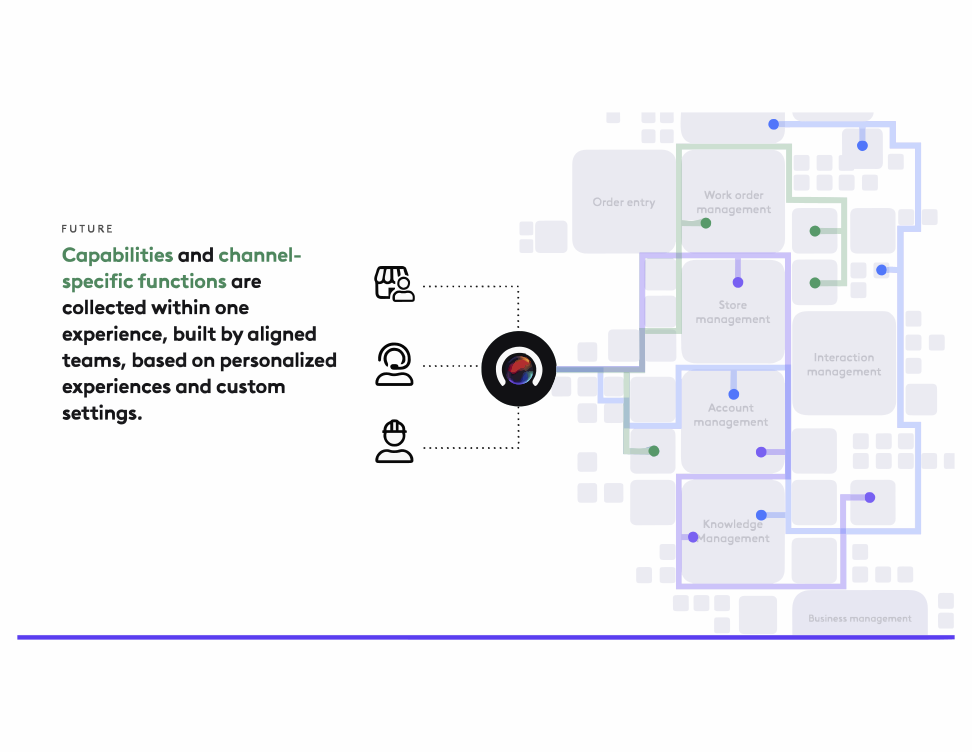
Celestial was presented as a high-level concept and still required a lot of discovery and alignment. I took some time to review the stakeholders’ vision and understand the practical implications. The ultimate goal was to create “guided workflows” aka “paths” to reduce training time for new employees and increase success rate and speed for work tickets. Device Manager was the first use case for Celestial Paths.
I kicked off the project with on-site interviews and observations.
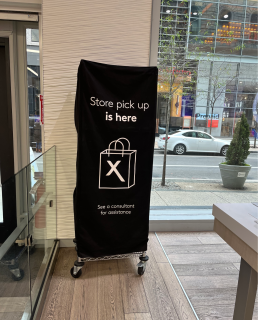
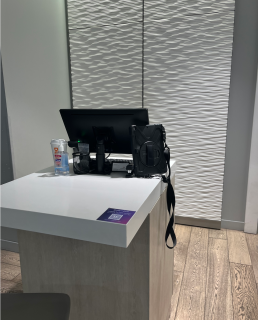
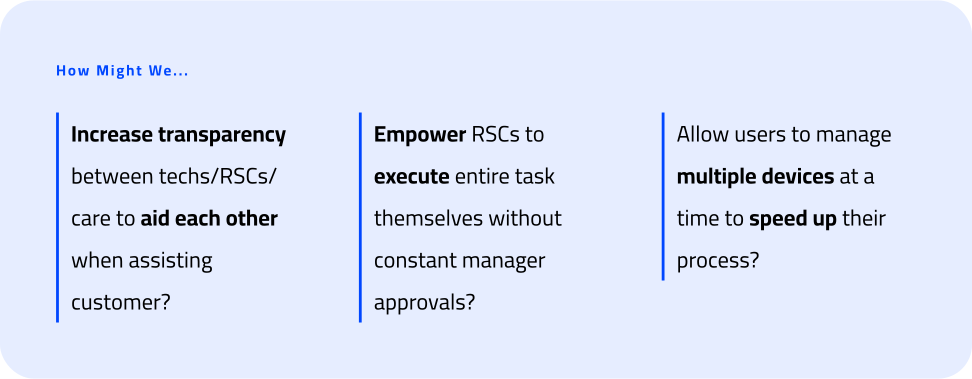
I spent a day shadowing Retail Agents at my local Xfinity store to investigate their current workflow. I started with a short interview questioning how many customers they see in a day and how long any given task may take. This gave me a lot of useful context into the pain points agents deal with. I found that they were swiveling between 4 different programs throughout the day to complete their tasks. I also found that many agents were leaning on an outdated billing system to complete Device Management actions rather than the newer, more user-friendly product they had due of limited functionality and constant crashes.
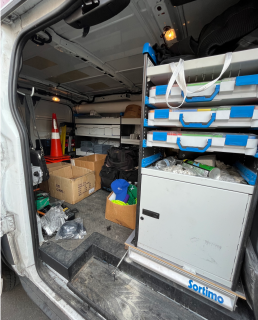
About a week later, I joined a Network Technician for the day to go on a few jobs with them to see how their work flow differed/overlapped with Retail Agents. I discovered the difference in use cases but also found that they were bouncing between different software to complete their tasks.
I leveraged OOUX frameworks to accomplish our goals.
My role in this project was to lead the discovery effort. I realized that using the OOUX framework would be a successful way to organize and document the current landscape which suffered from high segmentation and ground the vision into tangible requirements.
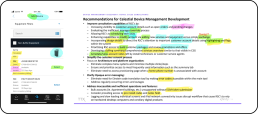
I began with noun foraging by evaluating existing research readouts, current-state designs and PRDs. I highlighted all relevant nouns by color- blue indicating Objects, yellow indicating Core Content, green indicating Actions and pink indicating Metadata.
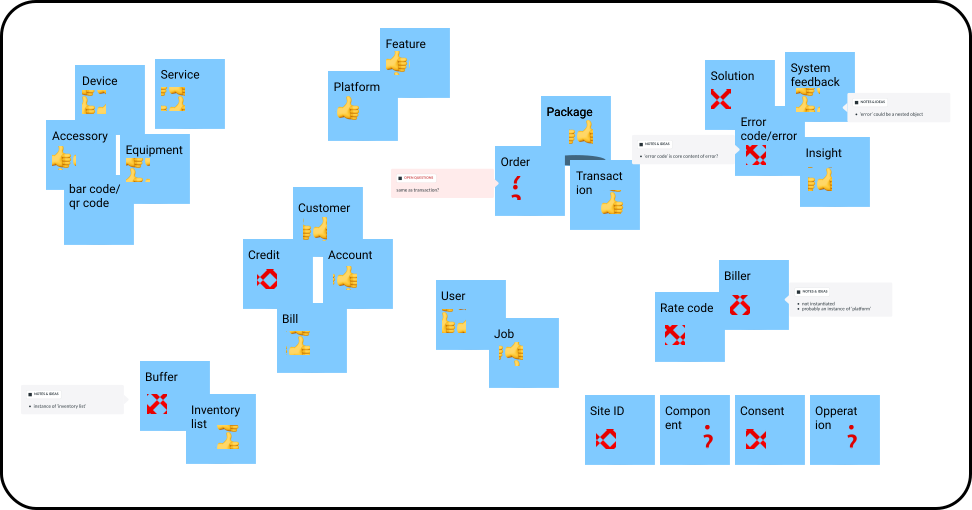
These activities set us up to create our OOUX Map.
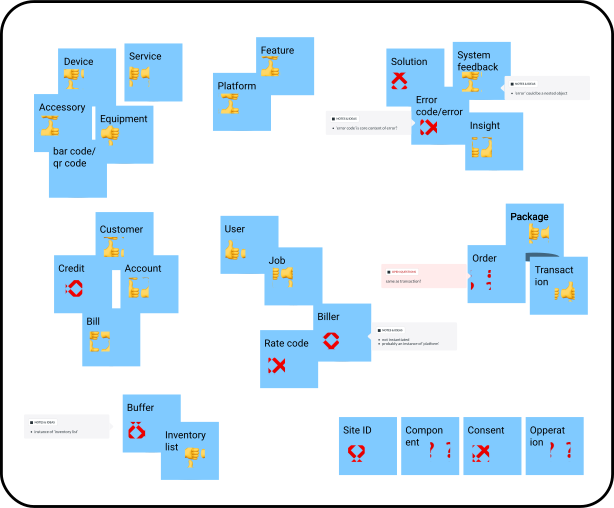
At this point I began grabbing the other Attributes (Core Content and Metadata) and putting them under above their relevant Object. While we were doing all of this, me and my colleague added all of our outstanding questions and confusions that we would later clarify in validation sessions with our SMEs.
User research allowed us to better understand attribute prioritization.
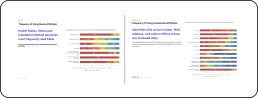
Once we identified the relevant attributes, we wanted to collect feedback from our users on which pieces of data were the most important for them to complete their job. We expected this would differ between Frontline teams and wanted to ensure we served up the most important information to each user-type to make their job easier. I worked with our UX Researcher to set up a card-sort along with a questionnaire.
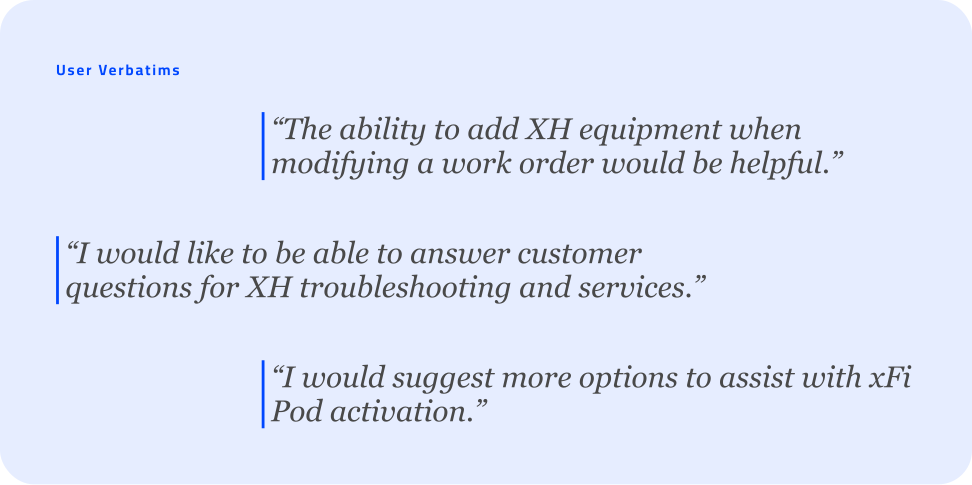
These exercises allowed me to understand the different mental models for each Frontline user-segment. Although they are all executing the same task, the considerations they have to take into account and the steps they take differ widely.
I started documenting all of our terms into a glossary list.
It quickly became clear that there were a lot of terms we didn’t fully understand and some that were being used differently between Frontline teams. Technicians and Retail agents work very differently so this wasn’t a complete shock. I identified an opportunity here to standardize naming conventions across Frontline employees, which would reduce confusion when moving cross-channel and increase efficiency gathering information for the customer. I created an OOUX Glossary that contained all of the terms involved and roles we were accounting for. We created a working list that we reviewed with our SMEs to gain alignment.
We were able to come out of this exercise with an exhaustive list of definitions that would not only improve the end user experience but also serve as an onboarding document to speed up understanding of the concepts we worked with.
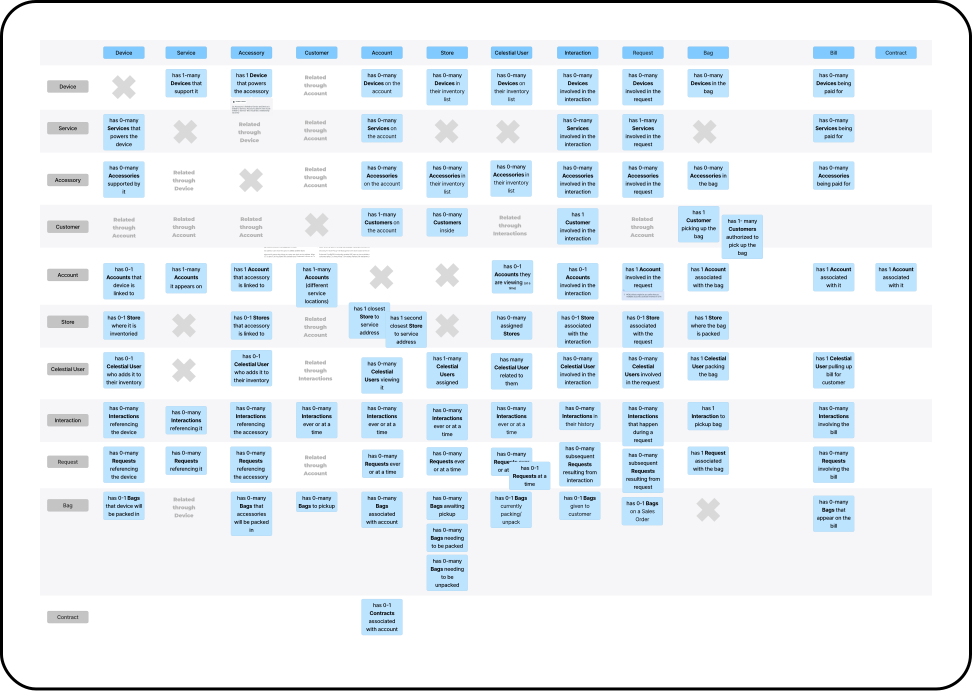
Relationship mapping was the next step in our OOUX process.
We took all of our objects and cross-examined them with each other to understand if a relationship existed between the two and what the nature of that relationship was. This would be valuable later on in the wire framing phase to prove what relevant information we needed to show together on our screens.
We mapped our current-state process flowcharts for additional understanding.
Initially I pushed for Service Blueprints as these are a great way to show a lot of information in the same visual but quickly realized these weren’t exactly what we needed. I decided to “frankenstein” a flowchart format that contained all of the information I wanted to show: the actor, the action, the relevant objects, and the current system used to complete that step.
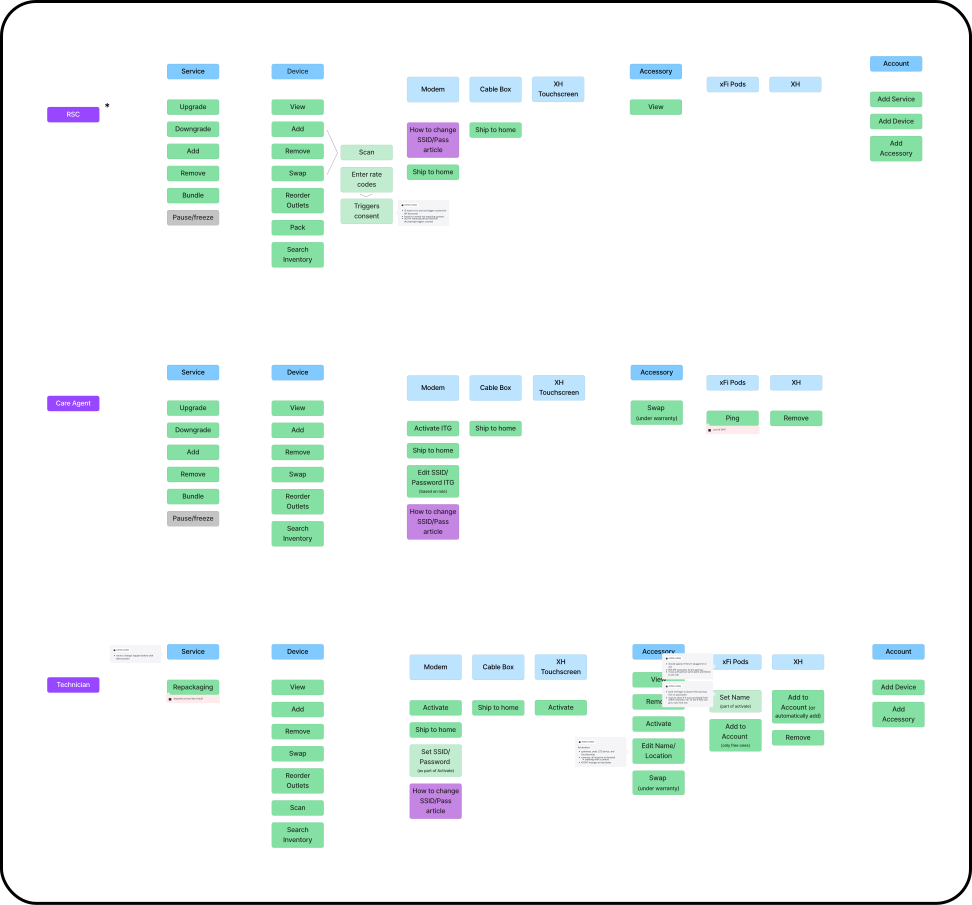
The last step of OOUX Discovery was a CTA Matrix.
We identified all actions that could be taken on our core objects and organized these based on role. This was a high value exercise that showed the different needs of each user and would inform the user controls later on.
I presented our OOUX discovery work in our design Cross-Teams meeting.
Every week the broader Xfinity Design team met to discuss work in-progress. I used this opportunity not only to show what we had accomplished with our OOUX work, but also explain how this work was applicable to all teams at Xfinity and how they could use some of the documentation we created like the Glossary List and the OOUX map to create alignment across their teams.
Starting to define the new design with user flows.
As we neared the end of our discovery work, we created user flows for the distinct Device Management actions: Add a Device, Swap a Device and Remove a Device.
Creating the prototype.
The most challenging moment of this project came when it was time to put all of our leanings into a usable prototype. Because we were the first team to work on this project, there was no direction on how simple to make each step or standards of how long a flow should be. Can users open multiple flows at once? How quickly can the system update to show progress? I had to stop myself from getting caught up in technical considerations and focus on the UX. I prioritized quick decisions to get the prototype complete and reminded myself that we would uncover many more answers from user feedback and by sharing our prototype with our dev partners.
Creating the prototype.
I partnered with our UX researcher to create a test plan for usability. We conducted moderated interviews with each user segment to measure success rate and system usability scale. We also asked qualitative questions to understand overall sentiment. Our findings showed that usability was high with a SUS score of 77.5 although our success rate pointed to additional considerations that we did not identify initially. We were able to understand specific gaps in the workflow we needed to go back and solve for through our follow up conversations. The qualitative feedback we received was overwhelmingly positive and Frontline employees were excited about a future product that would dramatically simplify their workflow.
Expanding Celestial across the Frontline universe.
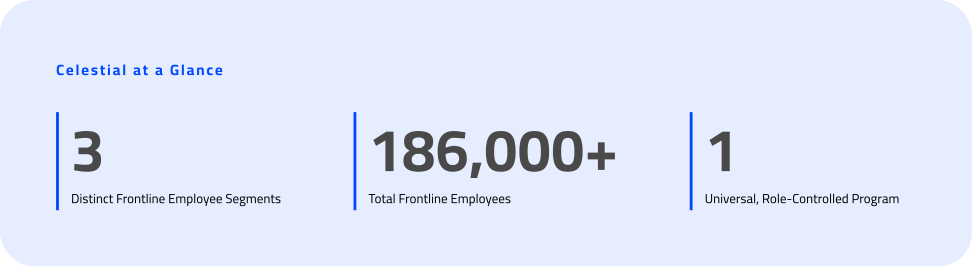
After presenting our findings to leadership, the decision was made to onboard 3 new workflows to Celestial and guidance was given to follow a similar process that I had taken. It was exciting to see all the uncertainty I faced result in a clear process that new teams could follow.
Problem
Currently, CB offers segmented experiences to manage product offerings across internet, voice, and mobile channels. Users have to log into different dashboards to manage all of their products. This results in a frustrating and time consuming hassle that small business owners don’t like to engage with.
Goal
Create a cohesive and integrated mid-market experience that simplifies onboarding, configuration, monitoring, and issue resolution across services, while helping customers leverage data and insights to more easily and efficiently manage the totality of their networking, communications, and security solutions.
Problem
Currently, CB offers segmented experiences to manage product offerings across internet, voice, and mobile channels. Users have to log into different dashboards to manage all of their products. This results in a frustrating and time consuming hassle that small business owners don’t like to engage with.
Goal
Create a cohesive and integrated mid-market experience that simplifies onboarding, configuration, monitoring, and issue resolution across services, while helping customers leverage data and insights to more easily and efficiently manage the totality of their networking, communications, and security solutions.
Problem
Currently, CB offers segmented experiences to manage product offerings across internet, voice, and mobile channels. Users have to log into different dashboards to manage all of their products. This results in a frustrating and time consuming hassle that small business owners don’t like to engage with.
Goal
Create a cohesive and integrated mid-market experience that simplifies onboarding, configuration, monitoring, and issue resolution across services, while helping customers leverage data and insights to more easily and efficiently manage the totality of their networking, communications, and security solutions.